We use cookies on our website.
Some of them are necessary for the functioning of the site, but you can decide about others.
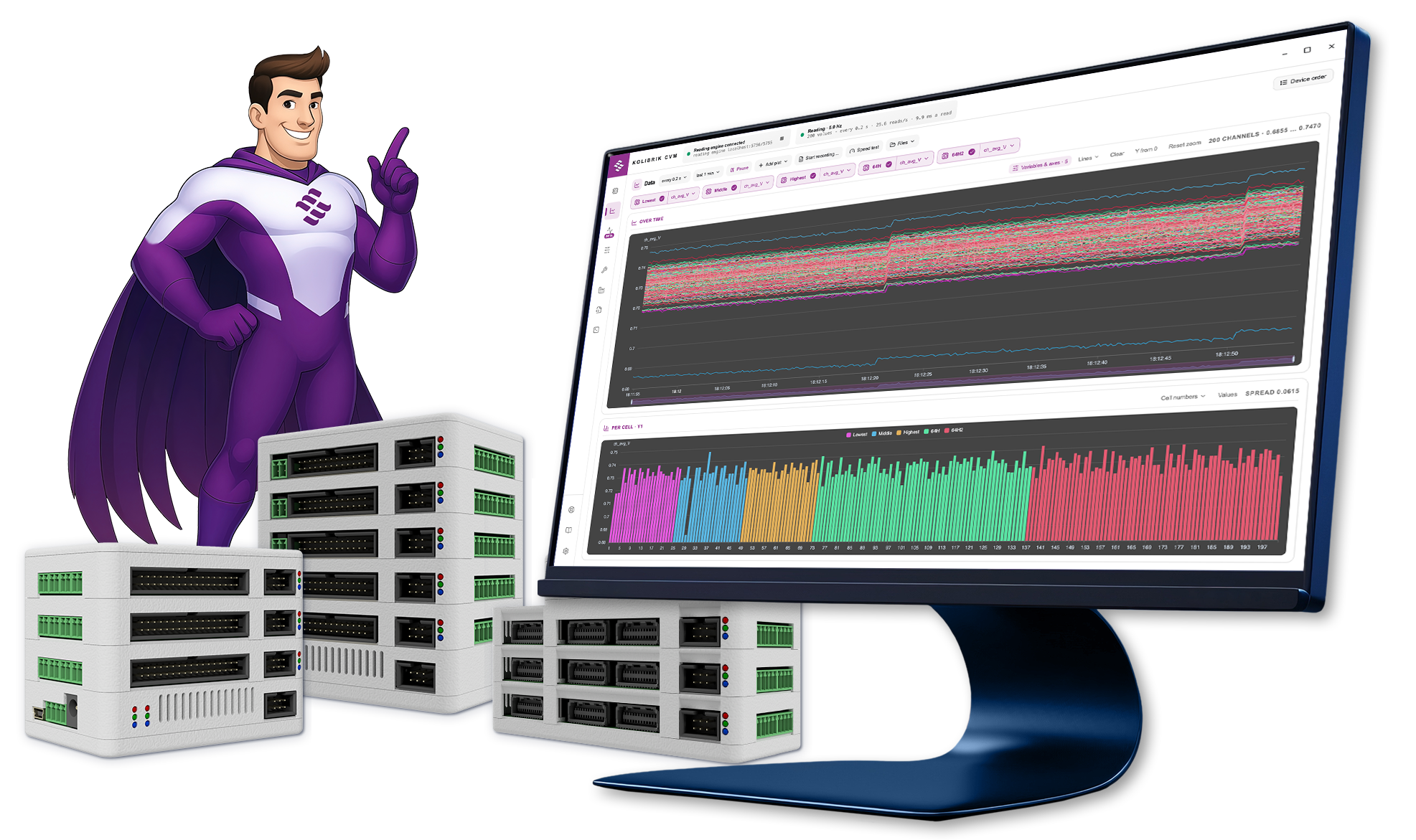
Kolibrik CVM is the measurement and control app for our Cell Voltage Monitoring systems. It gives you full control over monitoring fuel cells and electrolyzers—from initial setup to real-time data analysis.
The software automatically detects and configures your hardware over CAN and RS-485. Instantly pinpoint critical failure patterns, utilize faster data transfers, and generate complete PDF test reports with a single click. This app is included as a standard part of all Kolibrik CVM modules.
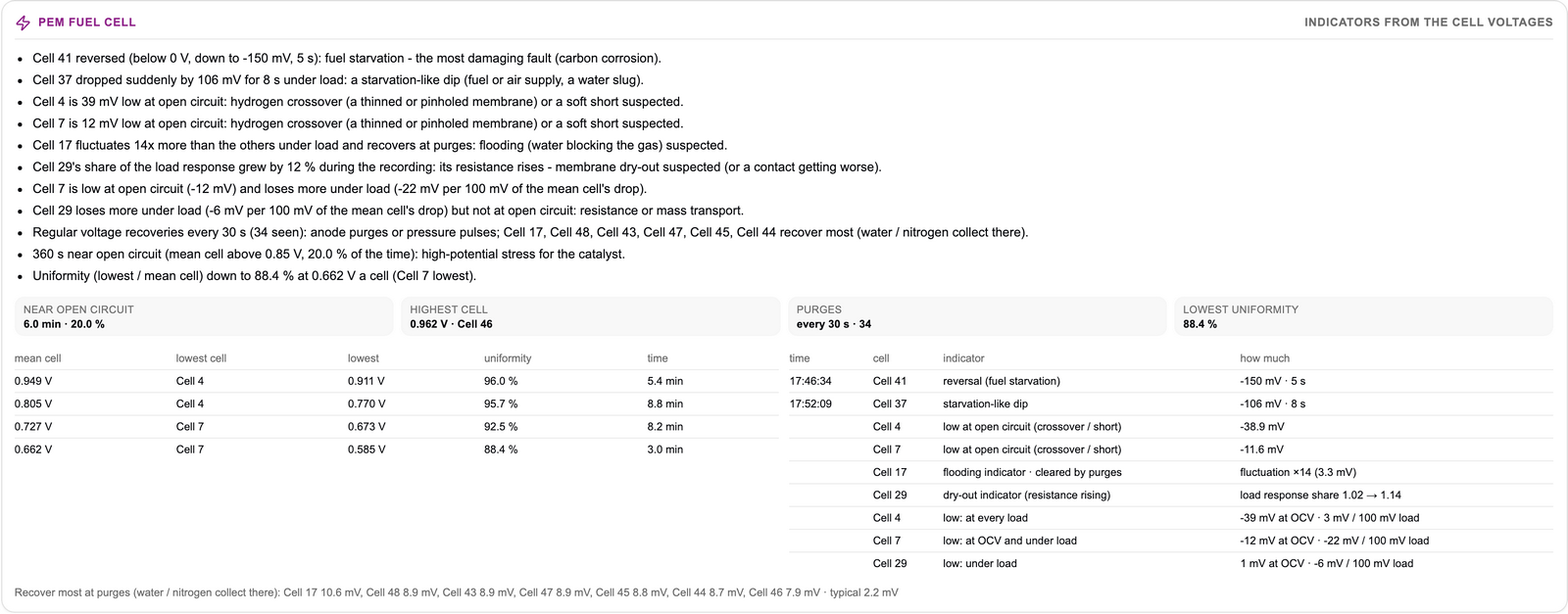
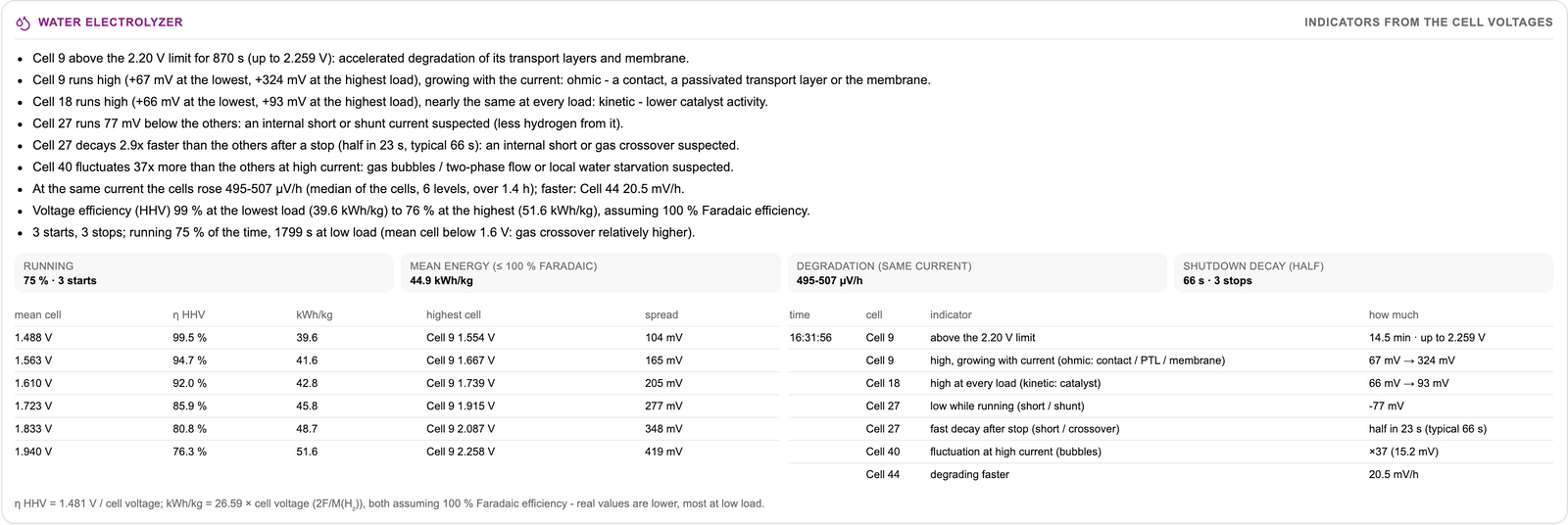
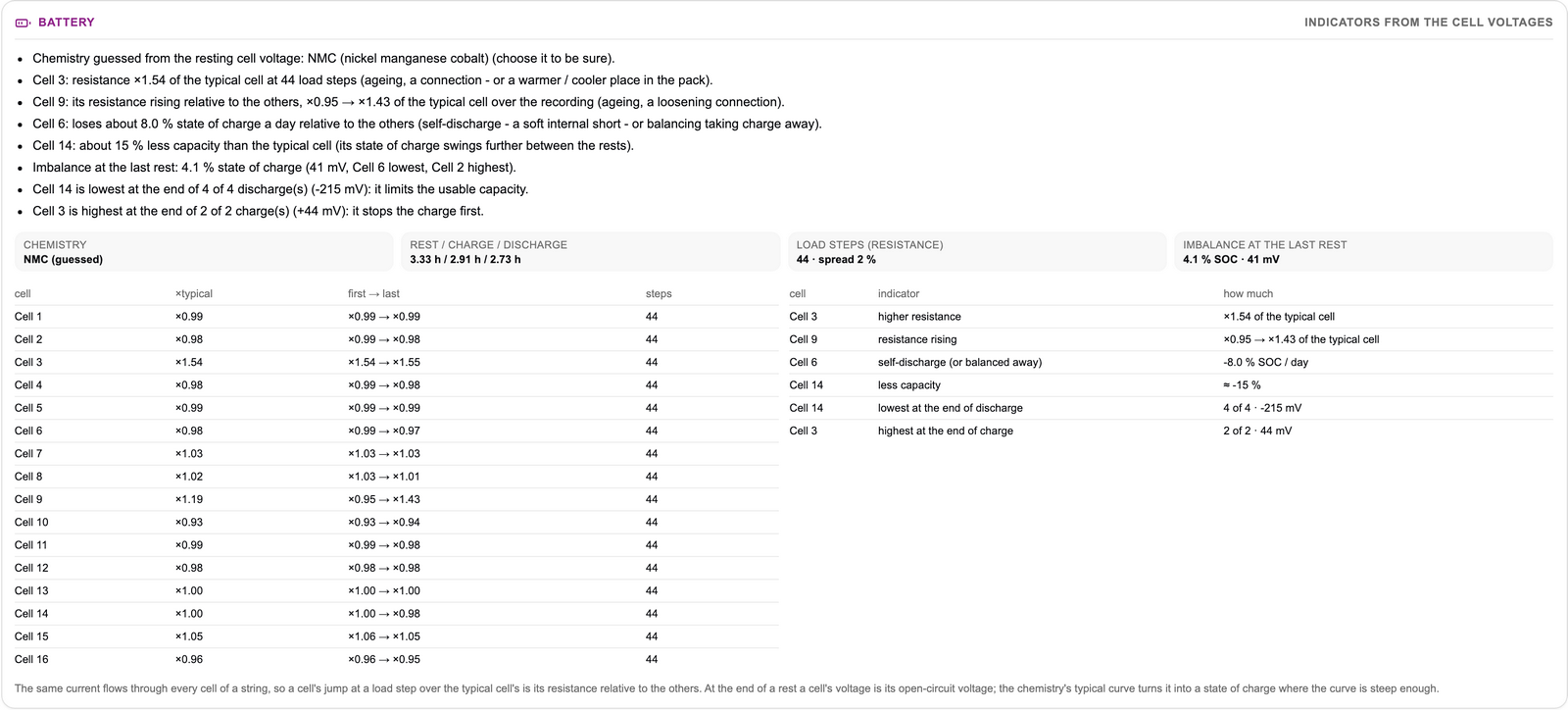
 Sample Report − Explore a demo protocol showcasing real automated stack diagnostics.
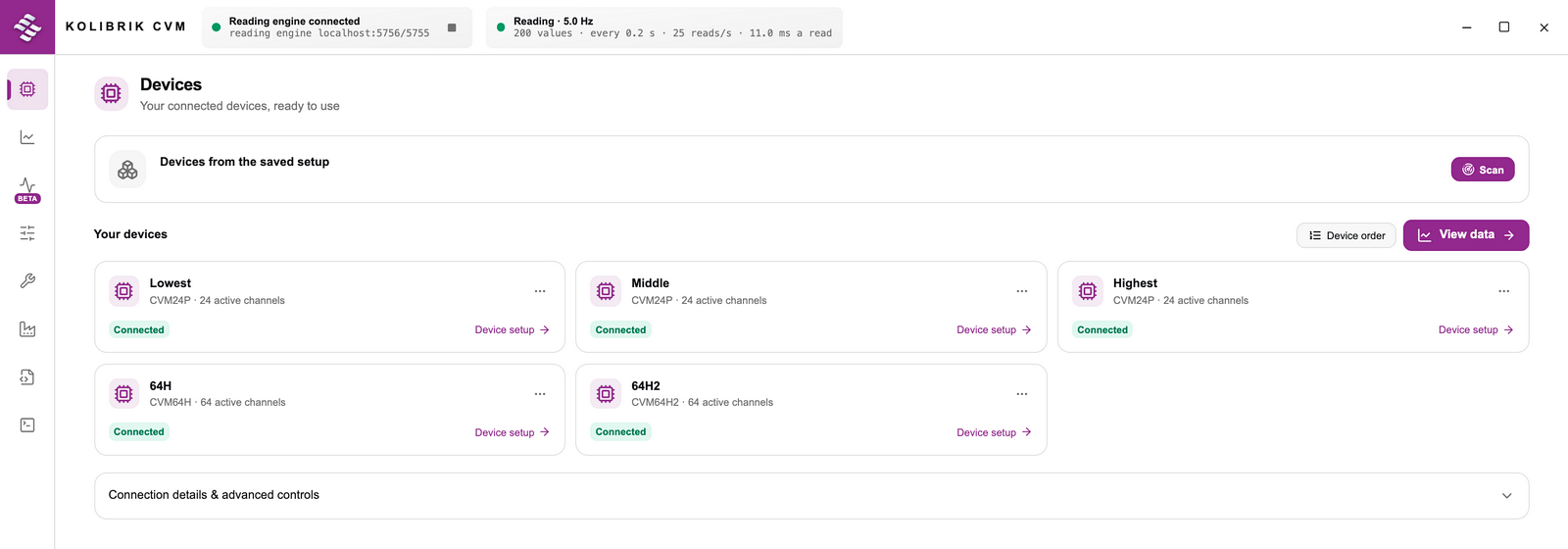
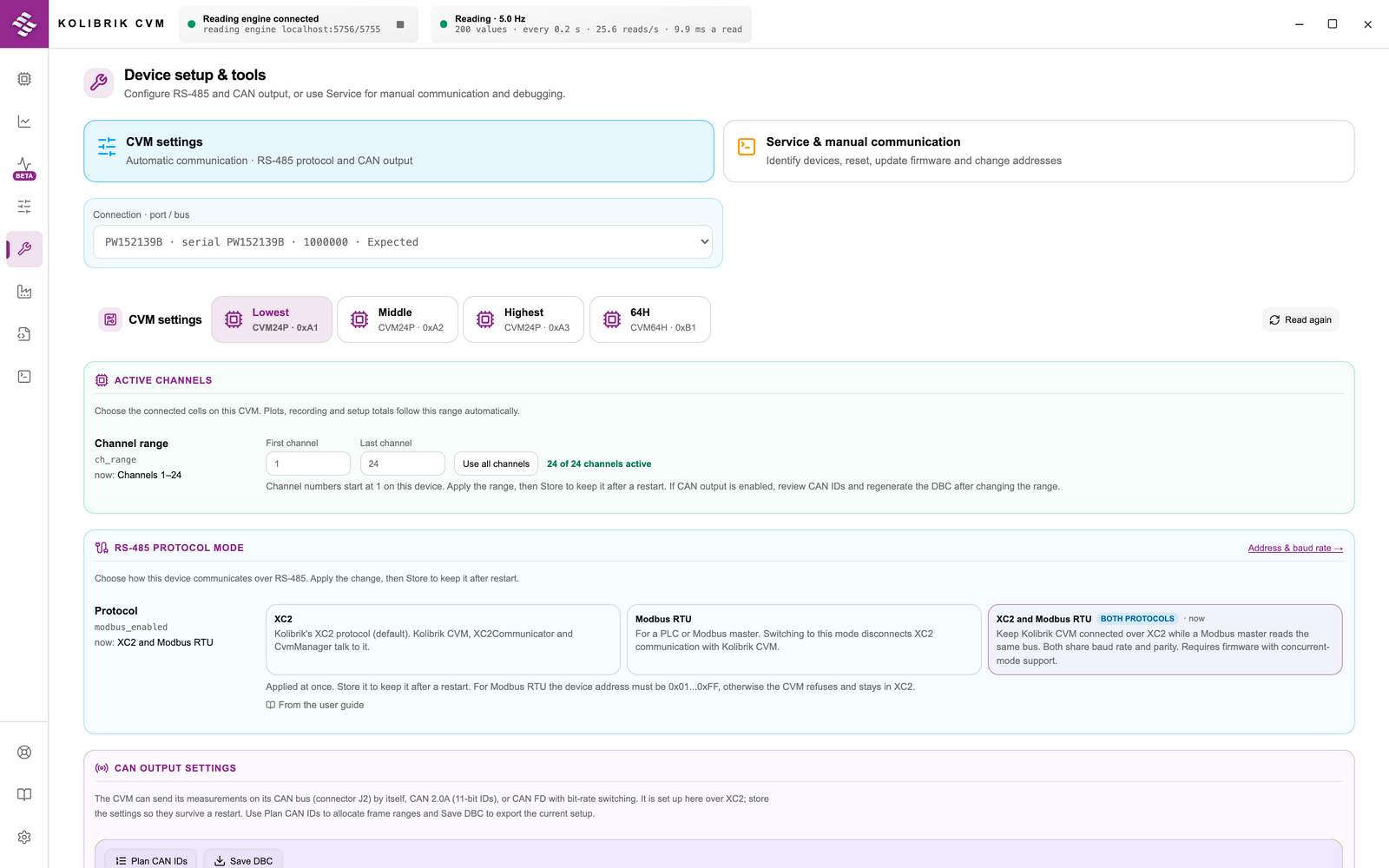
Automatic USB and RS-485 module detection and channel mapping. Fast CAN bus configuration for external systems with one-click DBC file export.
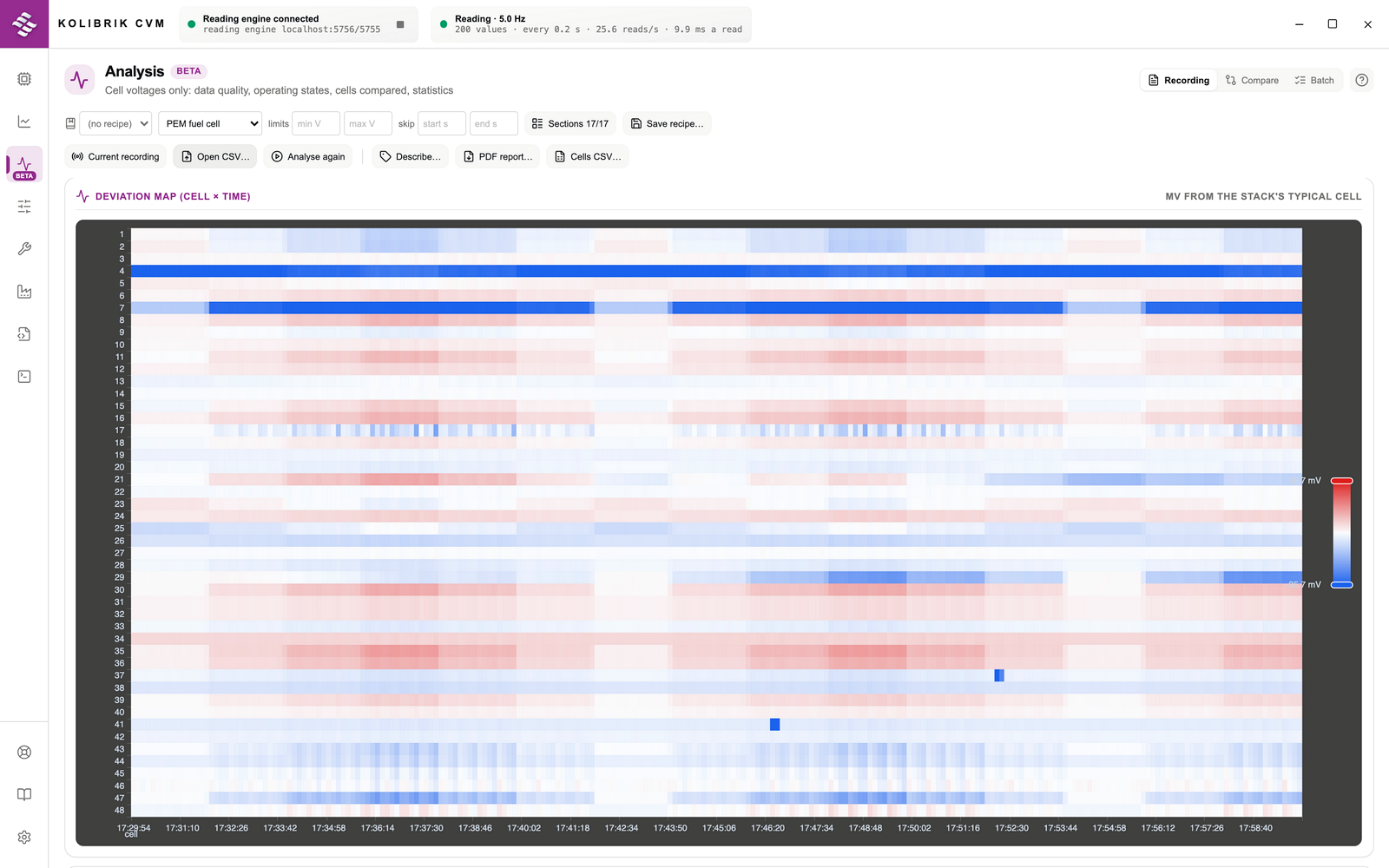
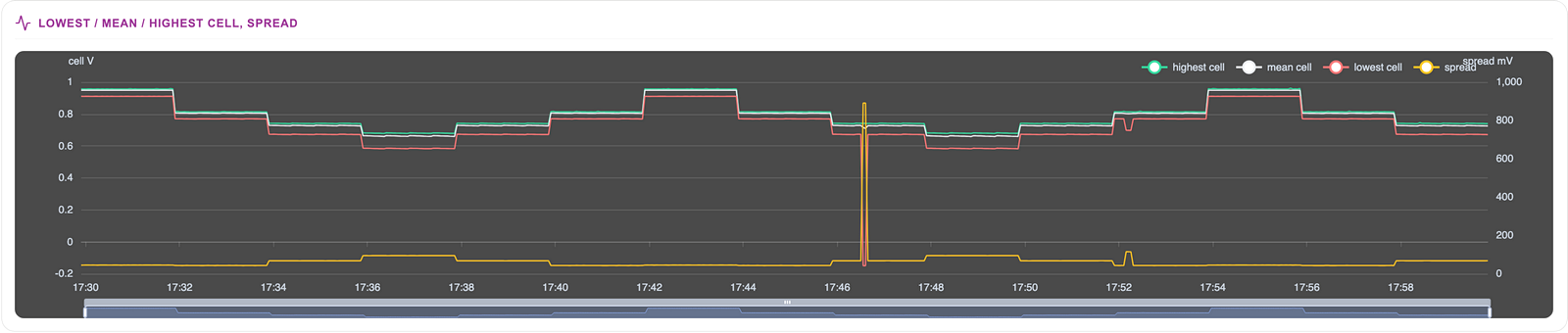
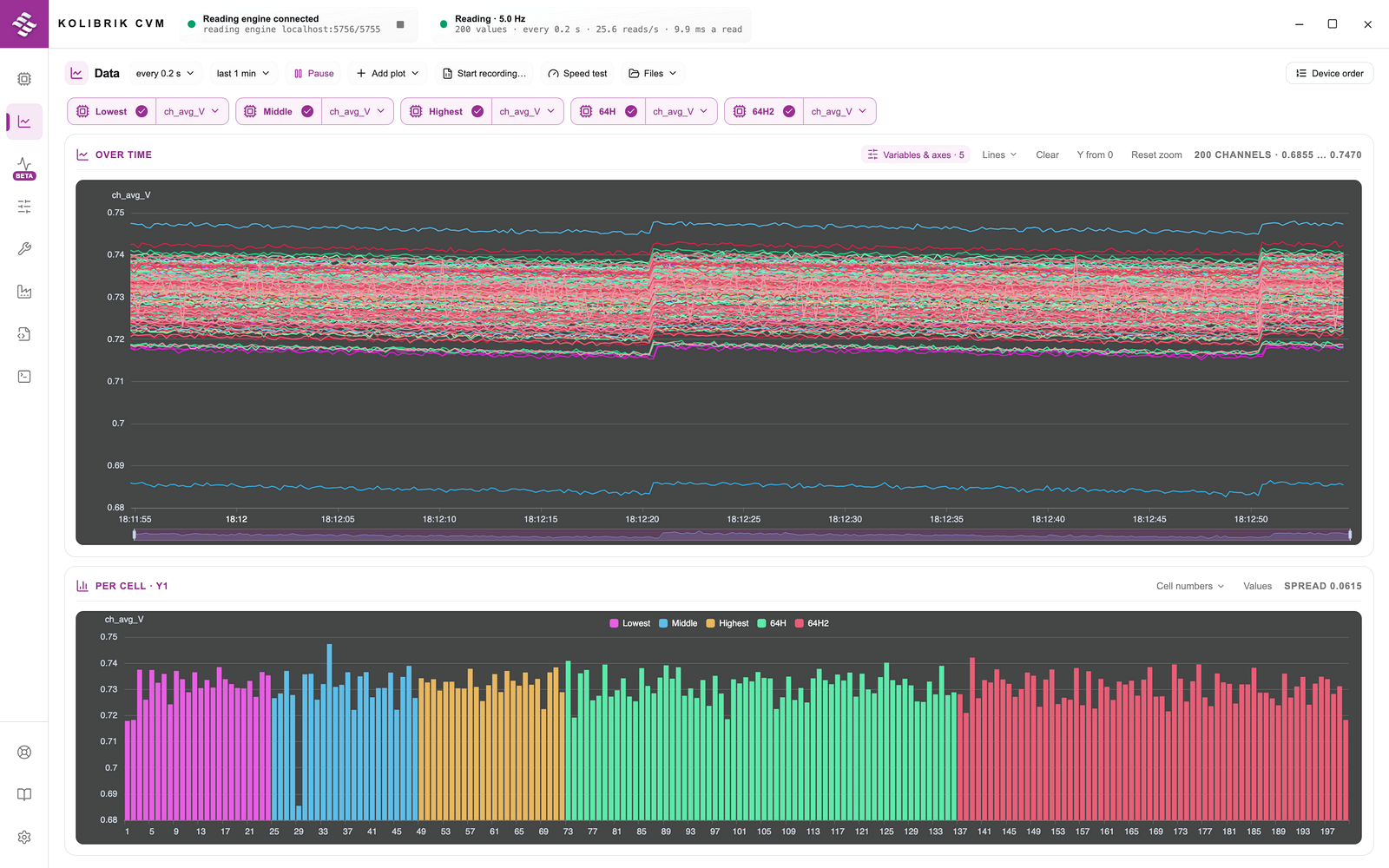
Monitor total stack dynamics and individual cell voltages in real time to visually track critical failure patterns.
Write custom Python scripts to automate devices and process recordings directly from the built-in Scripts page with live console output.
Translate raw measurement data into comprehensive PDF test reports, including data heatmaps and error logs, with one click.
High-speed data acquisition – Achieve optimized processing with over 200 reads/s and high sampling rates (35–50 Hz) across hundreds of channels simultaneously.
Plug & play auto-discovery – The software automatically detects and maps your connected CVM modules over USB and RS-485 without manual configuration. For external integration, you can quickly configure CAN communication and export a ready-to-use DBC file with a single click.
Real-time & historical insights – Monitor overall stack dynamics and individual cell profiles live. Pinpoint trends using advanced visual plotting and filtering controls.
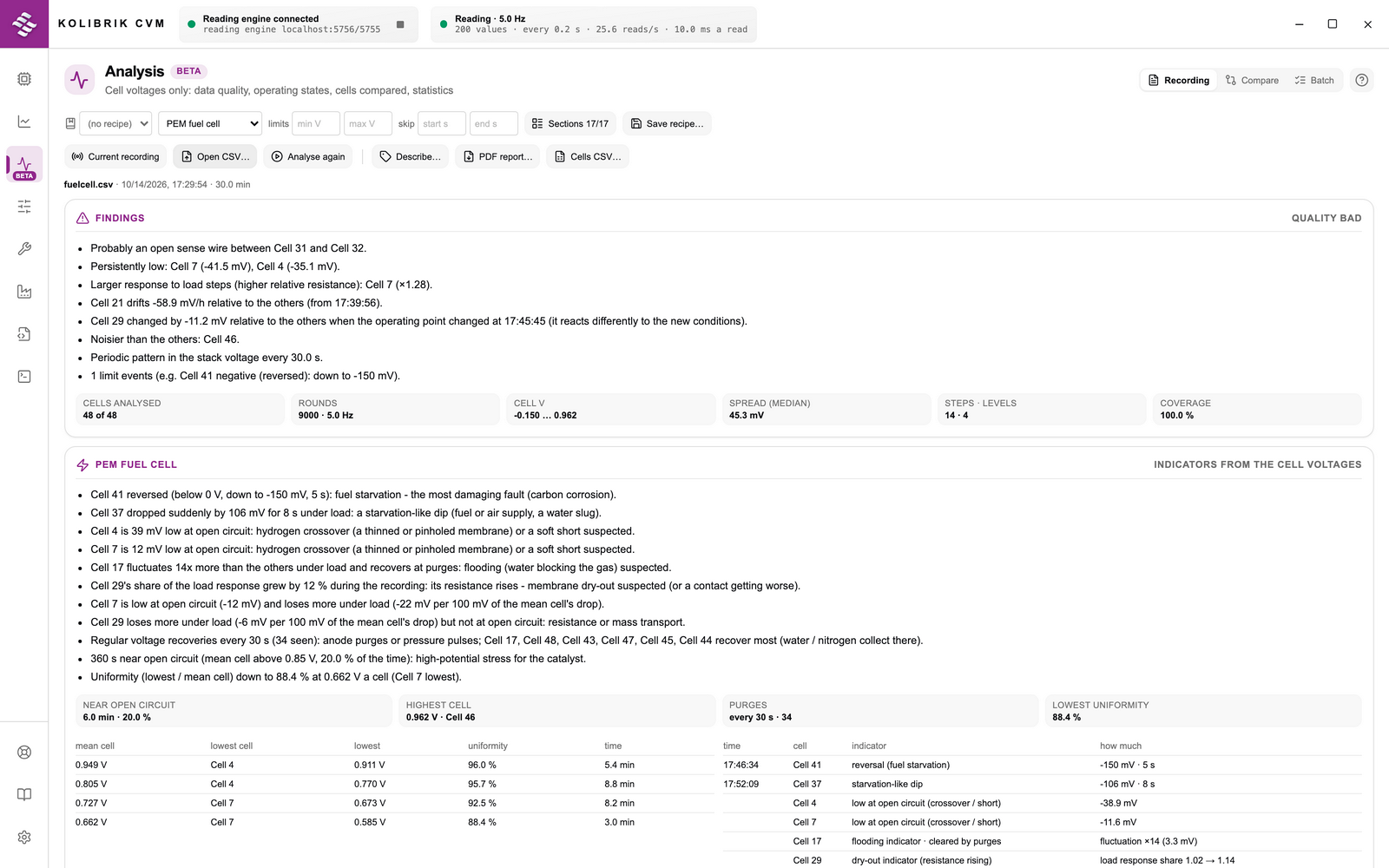
Automated diagnostic reporting – Generate comprehensive PDF reports instantly. Automatically evaluate data quality, score overall health, and filter out anomalies like open sense wires or stuck channels.
Built-in Python automation – Write your own Python scripts to automate CVM devices and process recordings. Scripts run from the built-in Scripts page with live console output, utilizing the bundled script library and the Python standard library.
Application-specific diagnostics – Execute dedicated analysis computed directly from cell voltages: PEM fuel cells (indicators of flooding, starvation, and dry-out), water electrolyzers (voltage efficiency and degradation trends), and battery packs (cell imbalance and relative capacity).
Flexible logging & export – Record highly configurable .csv logs for immediate use or deep post-test offline analysis.
Instant integrated support – Access the complete CVM User Guide directly inside the application. Fully searchable and available even offline in the lab.
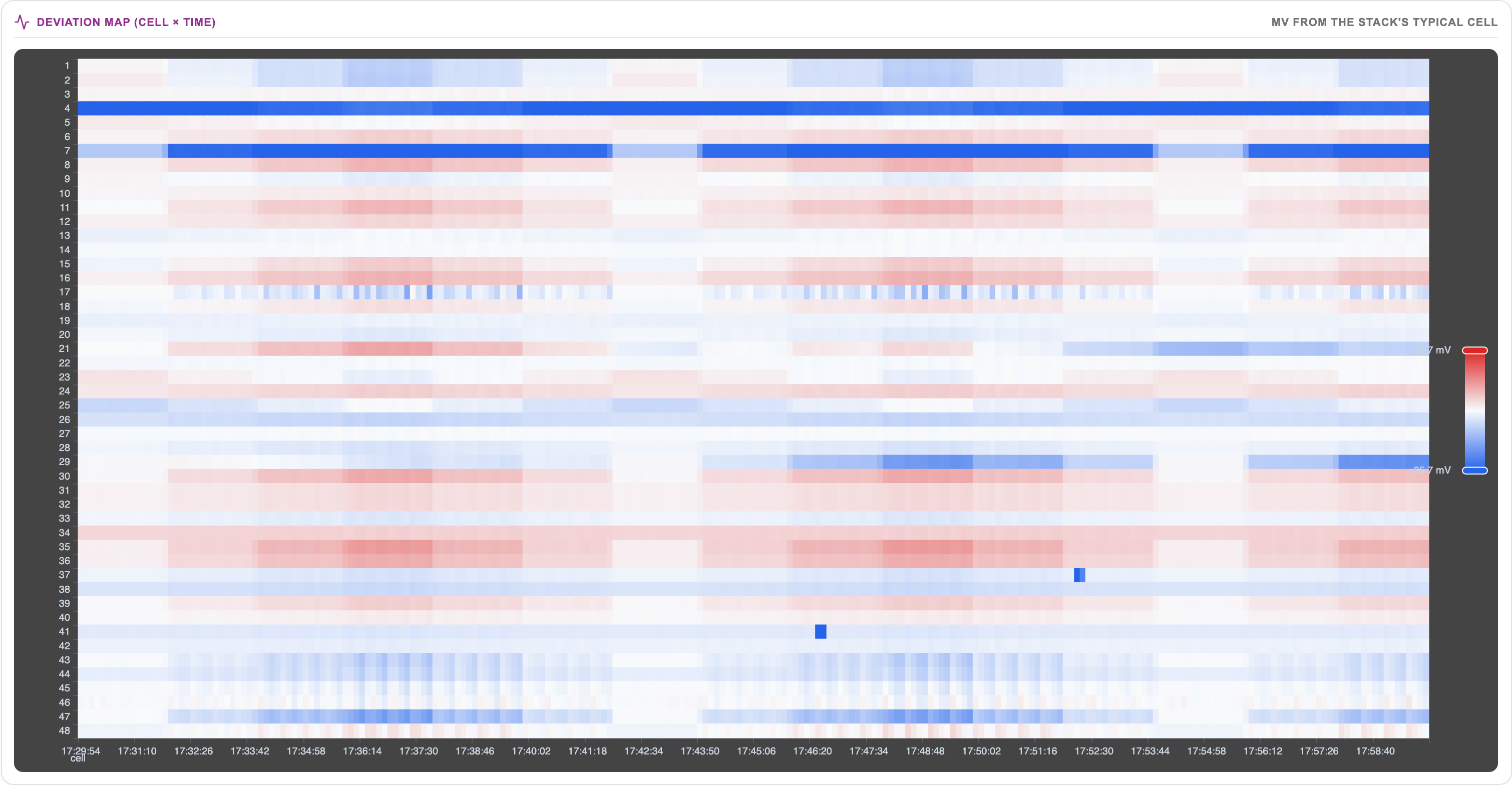
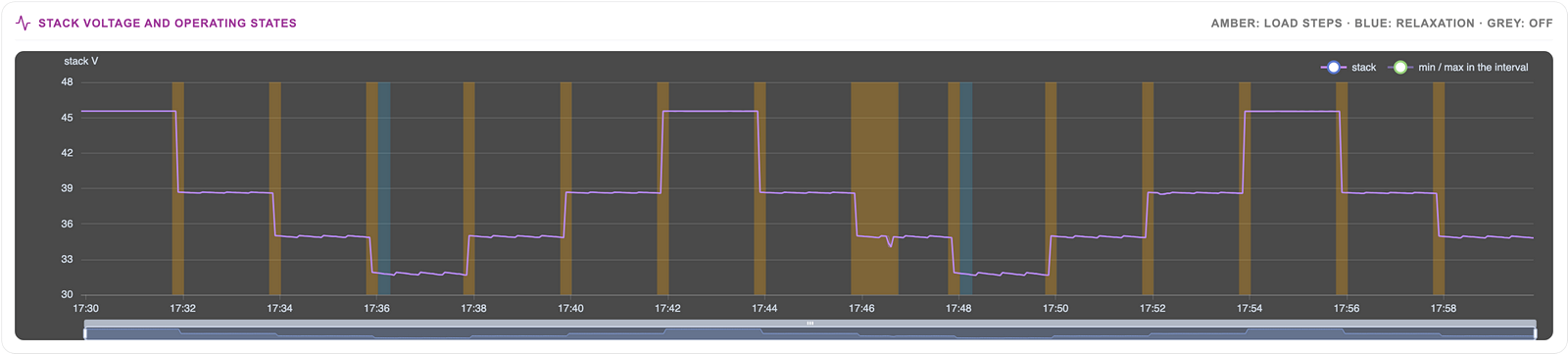
Recordings are automatically segmented into steady, transient, relaxing, and off phases. Robust statistics (Theil-Sen trends, CUSUM and PELT change detection, robust z-scores) flag cells that behave differently from the stack, while k-means clustering groups cells that behave alike.
Degradation trends, time near open circuit, and spatial gradients along the stack are accurately quantified directly from raw cell voltages.
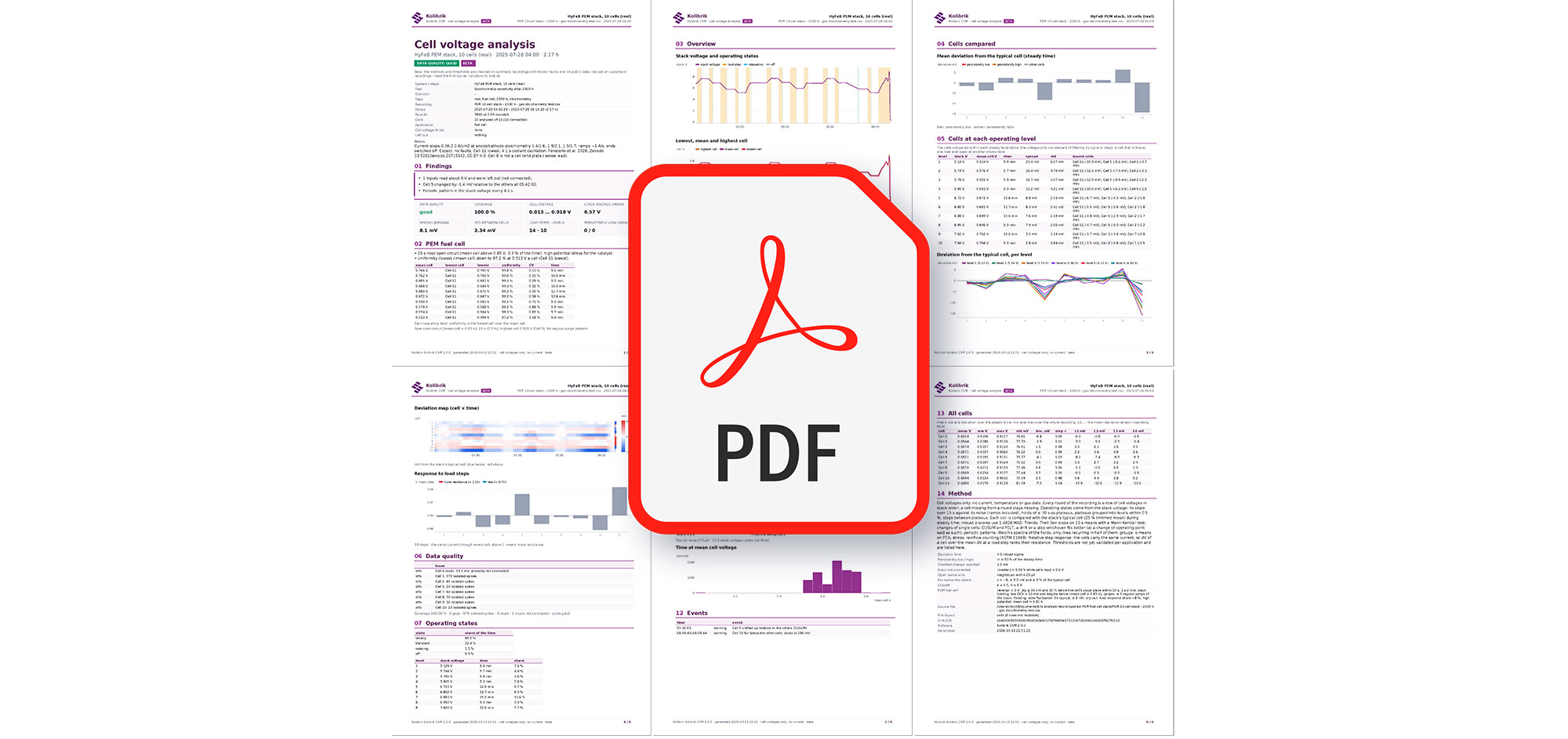
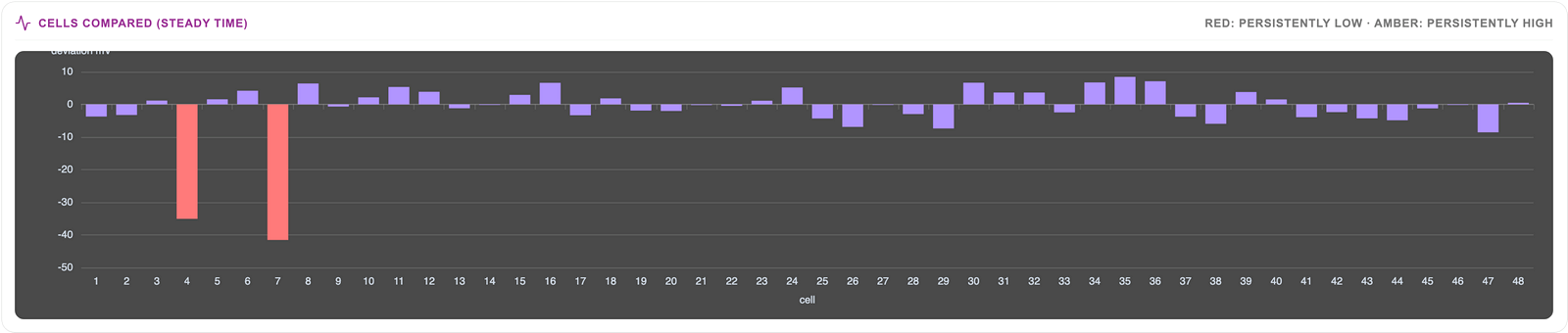
Generate a diagnostic PDF report from any single recording, or process multiple datasets at once. Change-detection algorithms (CUSUM, PELT) and robust statistics automatically flag anomalous cells.
The final report visualizes stack health using deviation heatmaps, calculates relative cell resistance at load steps, and provides a complete event log.
Sample Report − Explore a demo protocol showcasing real automated stack diagnostics.